Beta Now Available

Security Classification Banners
for Modern Windows

HUD delivers persistent, always-on classification banners anchored to the Windows desktop — built for enterprise and government environments that demand unambiguous system state awareness.

Request Beta Access Learn More
UNCLASSIFIED John Smith  ·  DESKTOP-HQ01  ·  Senior Analyst UNCLASSIFIED

Example — dynamic tokens resolve from Active Directory at login

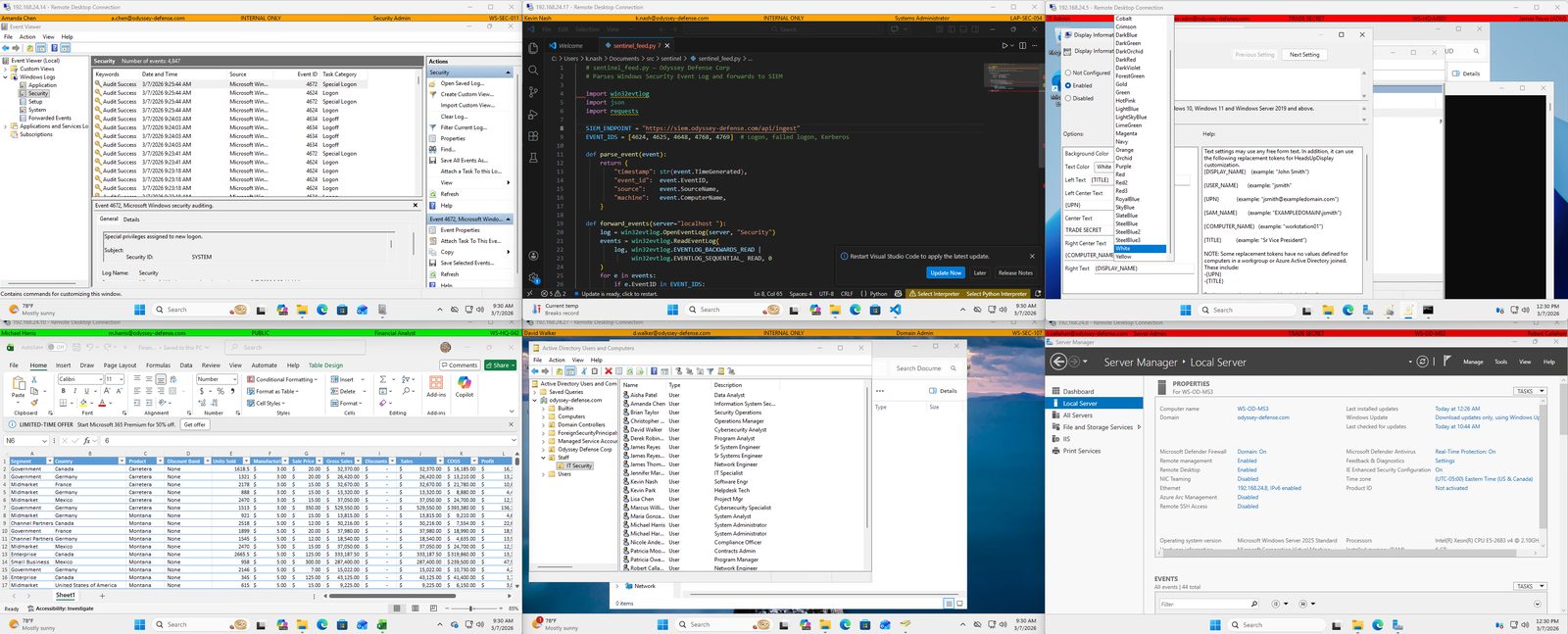
AA-HUD deployed across multiple workstations with different classification levels

Multi-workstation deployment — each session displays the correct classification level and live user identity resolved from Active Directory

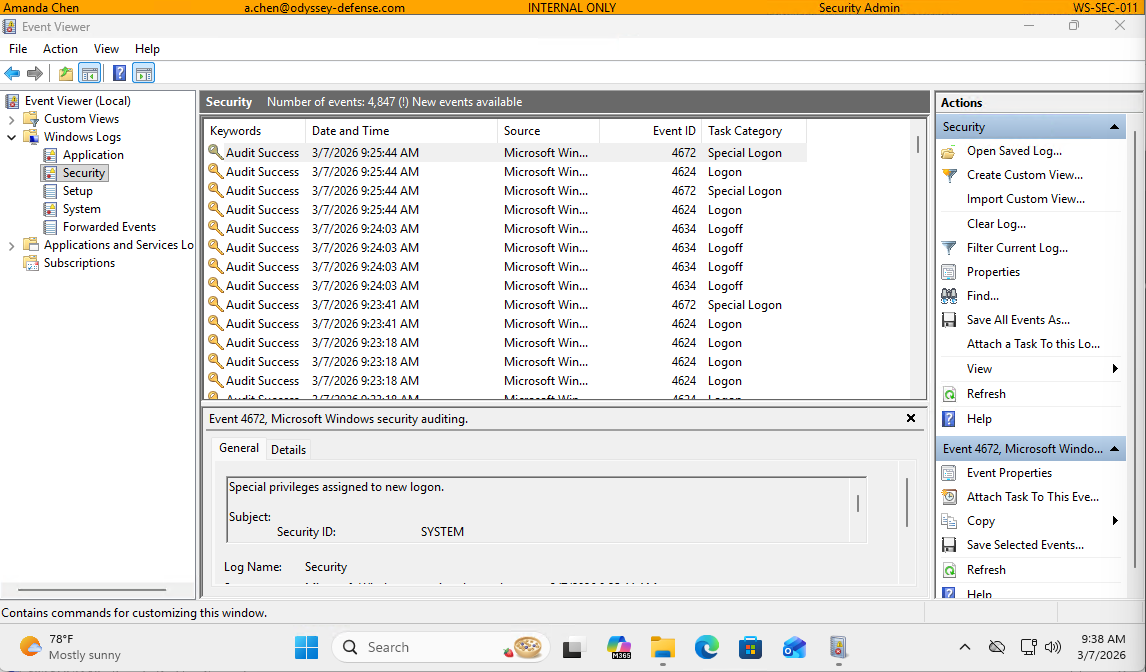
AA-HUD on Windows Event Viewer - Security Admin

Security log review — classification persists over any application

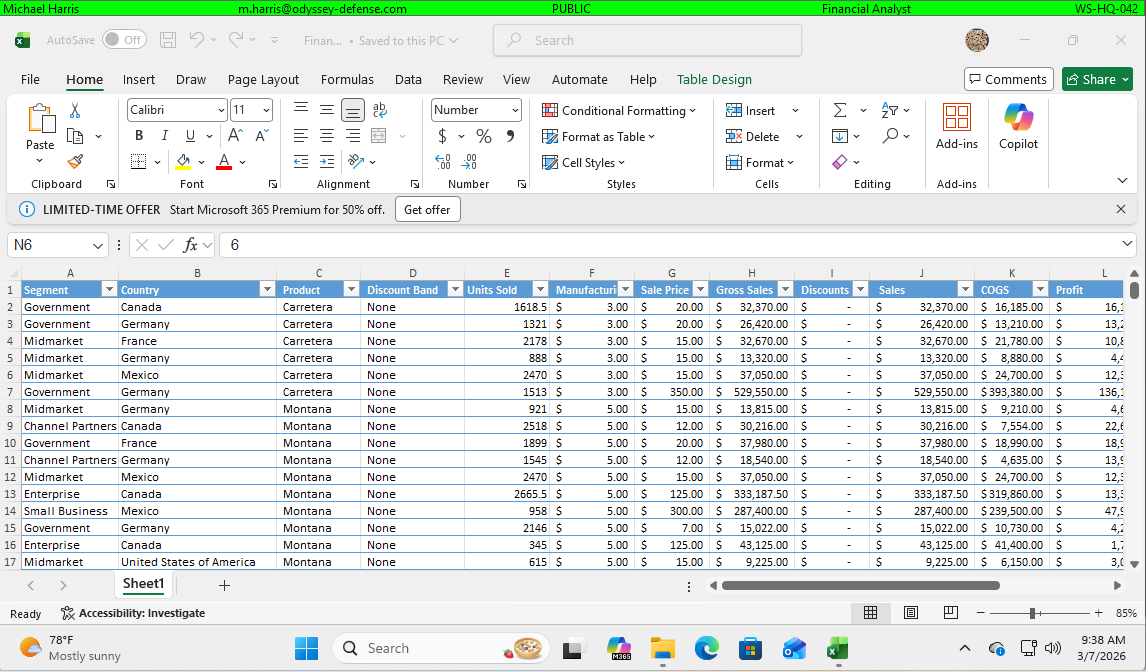
AA-HUD on Microsoft Excel - Financial Analyst

Standard productivity workflows — classification always visible

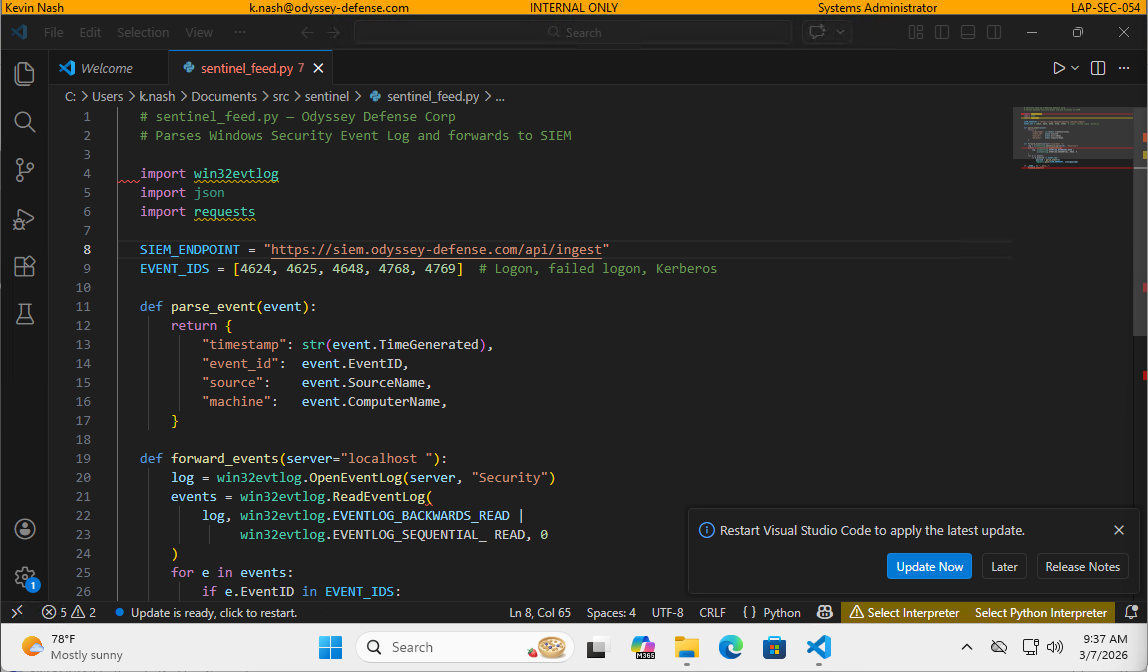
AA-HUD on VS Code - Systems Administrator

Developer environments — no exceptions, no blind spots

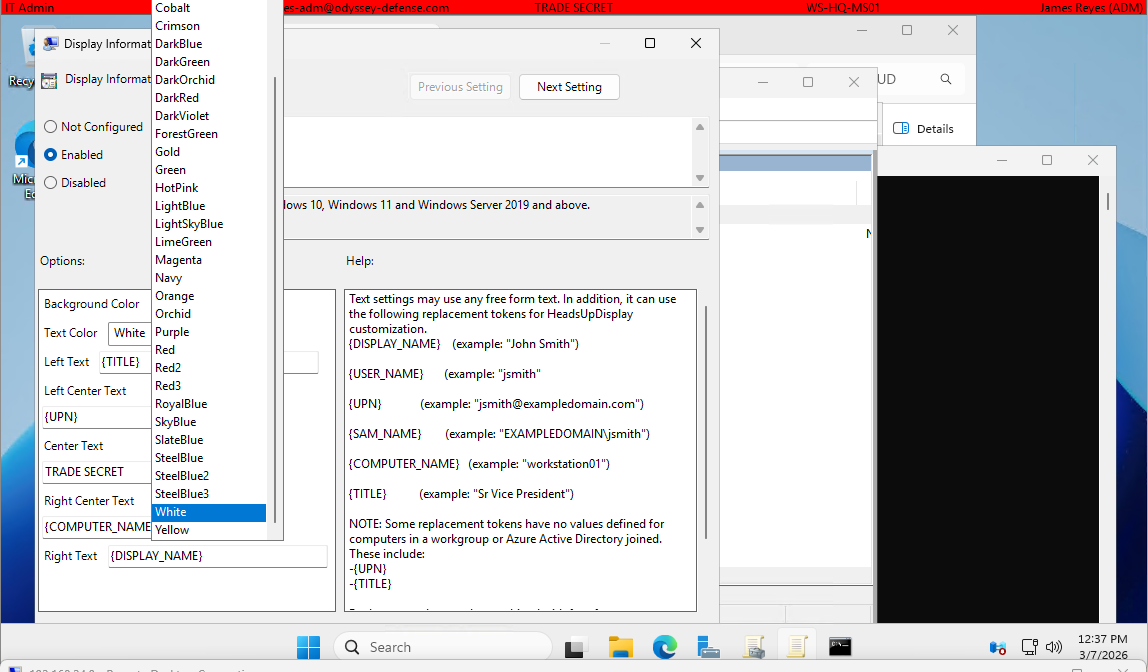
AA-HUD Group Policy configuration editor

Group Policy configuration — full control over text, colors, and tokens

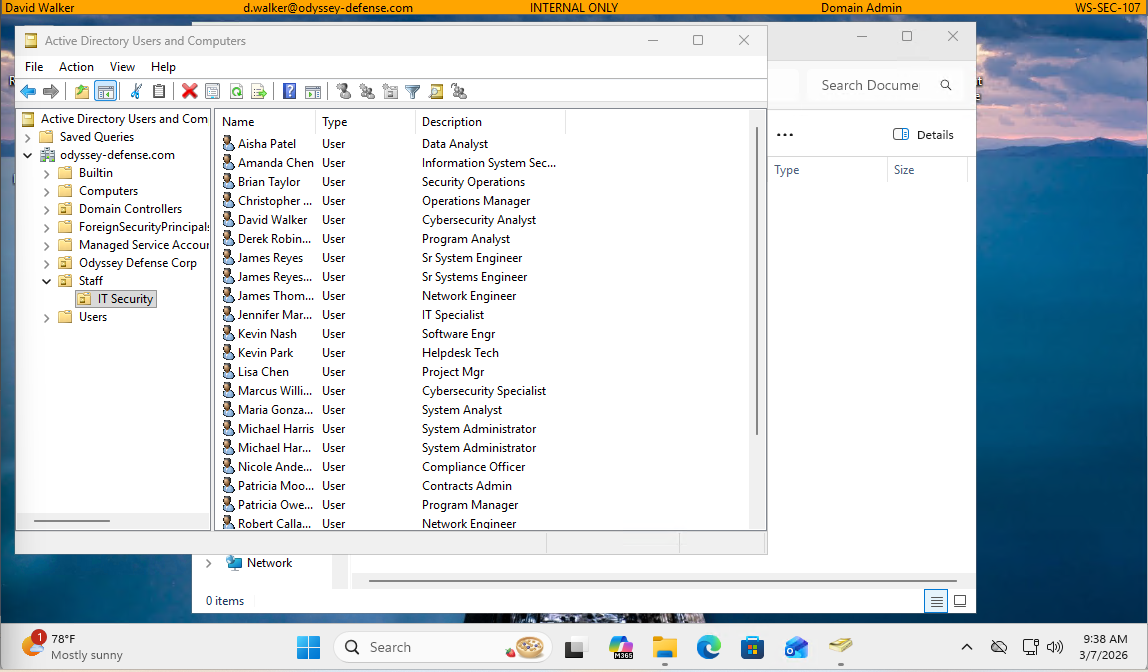
AA-HUD on Active Directory Users and Computers

Domain admin tools — identity tokens pulled live from AD

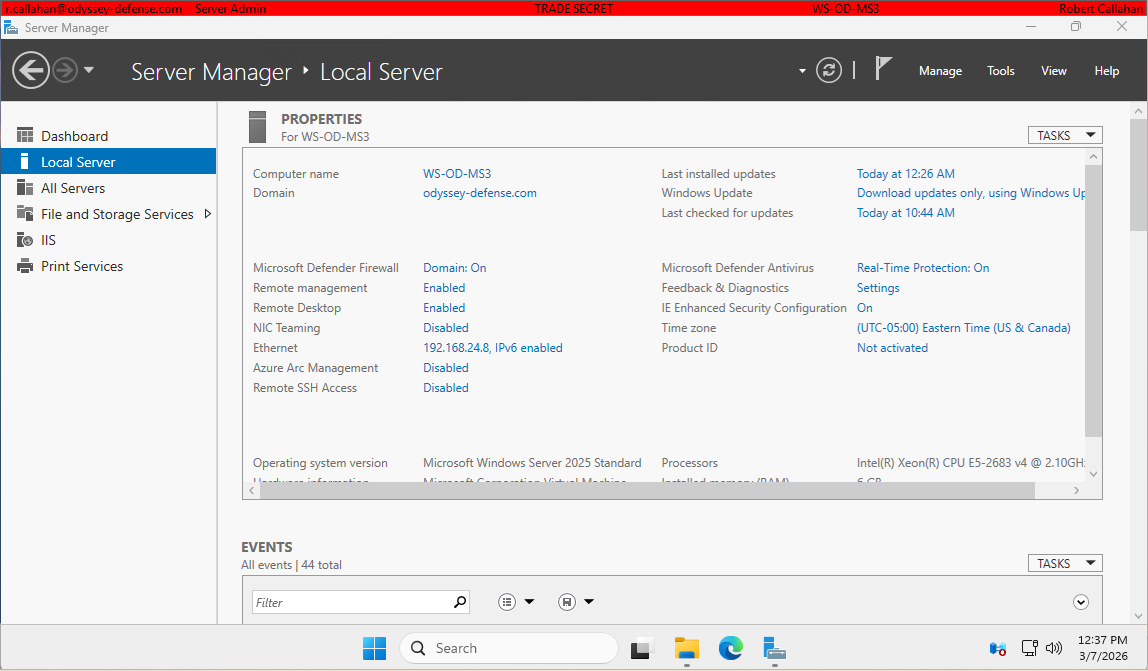
AA-HUD on Windows Server Manager

Server environments — same persistent banner, zero configuration overhead

Capabilities

Built for modern Windows from the ground up

Native C++ on Win32 — no .NET runtime, no managed dependencies. Built on the same deep Windows internals knowledge that drives enterprise support.

🖥️

Always-On Persistence

Anchored to the taskbar via SHAppBarMessage — survives window redraws, resolution changes, and multi-monitor configurations.

🔖

Dynamic Token Substitution

Display name, SAM account, job title, computer name, and Distinguished Name — resolved live from Active Directory at runtime.

🖥️🖥️

Multi-Monitor Support

Banner spans every connected display — HUD detects monitor configuration at startup and anchors a persistent banner to each screen automatically.

⚙️

GPO-Ready Deployment

Policy enforced via SOFTWARE\Policies\AcaciaAve\HUD — configure and lock down via Group Policy across the entire enterprise.

🛡️

Tamper Resistant

Process hardening prevents unauthorized termination. Classification state stays visible — the way it's supposed to.

Native Performance

Pure Win32 C++ — no runtime overhead, no garbage collector, no framework dependencies. Installs in seconds and stays out of the way.


STIG Compatible

AA-HUD introduces zero new STIG findings when installed on a DISA Windows 11 STIG V2R7 hardened workstation. Verified with SCAP Compliance Checker (SCC) 5.14.

↓ Download STIG Compatibility Report (PDF)

FAQ

Common Questions

What is a security classification banner?

A security classification banner is a persistent on-screen indicator that displays the classification level of a workstation or the data it handles — for example, UNCLASSIFIED, CUI, or SECRET. They are required in many government, defense, and regulated enterprise environments to prevent data spillage and ensure users are always aware of the system's classification state.

Is AA-HUD a replacement for NetBanner?

Yes. AA-HUD is a modern, actively maintained replacement for legacy classification banner tools including NetBanner. It is built natively for Windows 10, Windows 11, and Windows Server 2019/2022/2025 — with full Group Policy support, Active Directory token substitution, and STIG compatibility out of the box.

Is AA-HUD STIG compliant?

AA-HUD introduces zero new STIG findings when installed on a DISA Windows 11 STIG V2R7 hardened baseline. This was verified using SCAP Compliance Checker (SCC) 5.14 with pre- and post-install scans. See the STIG Compatibility Report for full methodology and results.

Can AA-HUD be deployed via Group Policy?

Yes — HUD Enterprise includes ADMX/ADML administrative templates for full Group Policy management. IT administrators can configure banner text, colors, Active Directory tokens, and tamper-resistance settings centrally and enforce them across the enterprise without touching individual workstations.

What Active Directory tokens are supported?

HUD Enterprise supports dynamic token substitution from Active Directory, including: {DISPLAY_NAME}, {TITLE}, {DEPARTMENT}, {COMPANY}, {SAM_ACCOUNT_NAME}, {COMPUTER_NAME}, and more. Tokens are resolved at login from your domain controller.

Does AA-HUD work on Windows Server?

Yes. AA-HUD supports Windows Server 2019, 2022, and 2025 with Desktop Experience. Server Core is supported with reduced functionality.

Is there a free version?

Yes. HUD Personal is a free edition for individual users. It includes always-on display, multi-monitor support, and a settings dialog. It can also be installed via winget install AcaciaAve.HUD. GPO deployment and Active Directory features are exclusive to HUD Enterprise.
Ready to see it in your environment?

HUD is currently in beta. We're working directly with enterprise and government organizations to validate deployment scenarios. Reach out to request access.

Request Beta Access
[email protected]